
After being saved from certain death at the hands of Riot Games just a few months ago, Hytale is now in players hands. Whether you’re a building game novice that’s been enticed by its focus on fantasy, a Minecraft veteran who wants to see what this challenger has up its sleeves, or simply someone who’s been following its turbulent seven-year journey with intrigue, Hytale’s doors are finally open. Just as the team at Hypixel Studios intended, there’s been a flurry of impressive Hytale mods already, but I really didn’t expect folks to find a way to bring across Minecraft builds this fast. That’s right, less than 24 hours after launching, there are a couple of tools out there that can take Minecraft schematic files and turn them into prefabs for Hypixel.
Now, this is not a 60-second, copy-and-paste solution – at least, not yet. To bring Minecraft creations into Hytale, you’ll have to jump through a few hoops. But given how quickly mods for this purpose have been developed, it’s still easier than you’d imagine.
One way to achieve this is by using the Hytale Converter tool, built by a team of community members including ‘Celestale’ on X. This website lets you upload a Minecraft schematic or litematic file and converts it into a new file that Hytale can read. Then all you need to do is drop it into Hytale’s ‘Prefab’ folder on your PC, and you’re pretty much done. Find it in the menus of the in-game editor, select it, and whatever house, structure, or location you built in Minecraft will be recreated in Hytale in front of your eyes.
Due to the difference in block types between the two games, it won’t look like an exact one-to-one match, but judging by some of the examples shared by Celestale, it’ll be pretty damn close. You may find some geometry bugs too, but again, the general layout of your Minecraft build will be largely the same.

While it operates similarly to Hytale Converter, there’s another mod that’s been designed by ‘ThirtyVirus’ on YouTube. His iteration, entitled SchematicImporter, requires a few more fiddly steps, but when it gets to the point of bringing the prefab into Hytale, you have a few more manual options that you can play with before simply dropping it into your world.
For a start, it has a ‘test paste’ function that lets you see a placeholder built in just red blocks, so you can see exactly how and where it’ll be dropped. Then, you have a menu that lets you individually select which Hytale block types you want to replace each Minecraft block type, allowing you to find the closest fit (or the wackiest alternative texture) yourself. You can grab the mod here.
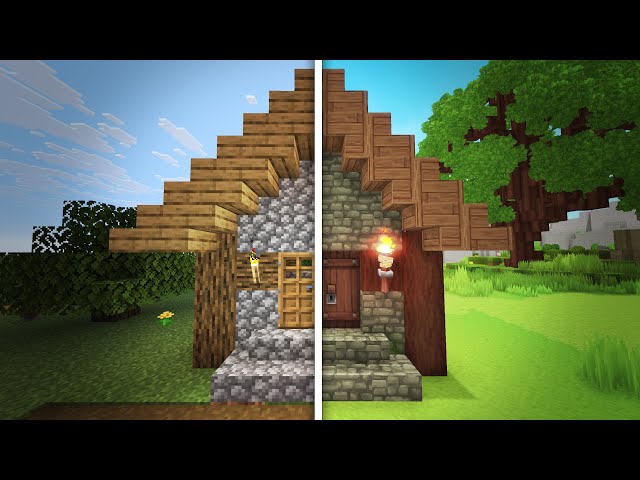
As the days and weeks roll on, I’m sure more swift and sophisticated ways of implementing your existing Minecraft creations in Hytale will appear. But for now, these are pretty decent solutions. If you have a cherished house in Mojang’s game and you’d love to see it reimagined in Hytale, these are the tools you can use today. However, I know for many people, the draw will be carving out a totally new adventure in this rival blocky world.